Creating a User Account
Non-PI users can request accounts through the Rockfish Coldfront Portal. However, user accounts will only be activated after the user has been added to an existing project by a PI with an approved allocation on the Rockfish Cluster.
All Johns Hopkins users must use their JHED ID (e.g., jsmith123) when requesting an account. Failure to use your JHED ID may delay account approval and will prevent access to Globus, which requires JHED-based authentication.
External
User accounts can be requested at any time, and the portal also allows users to:
Submit requests for user accounts
Reset account passwords
Monitor utilization and core-hour usage
View current allocations and associated projects
Add users (if PI or proxy)
Note
By requesting an account on Rockfish, you are automatically subscribed to the Rockfish Users mailing list: rockfishusers@lists.jh.edu. This list is used to distribute important cluster announcements, including scheduled maintenance, outages, and policy updates.
Unsubscribing from this mailing list will result in account deactivation, as it is the primary channel for operational communication.
Note
All users should review the Rockfish Citizen guidelines before requesting an allocation or account.
External and Collaborative Access
ARCH supports interdisciplinary collaboration and allows Principal Investigators (PIs) to sponsor external users by issuing “ext-userid” accounts. These accounts are used to manage and identify non-JHU collaborators within the system.
External Collaborators: External users should submit account requests through the Coldfront Portal, using a username prepended with `ext-` (e.g., ext-jdoe). Please note that external users will not have access to Globus under any circumstances due to authentication restrictions.
Getting Started
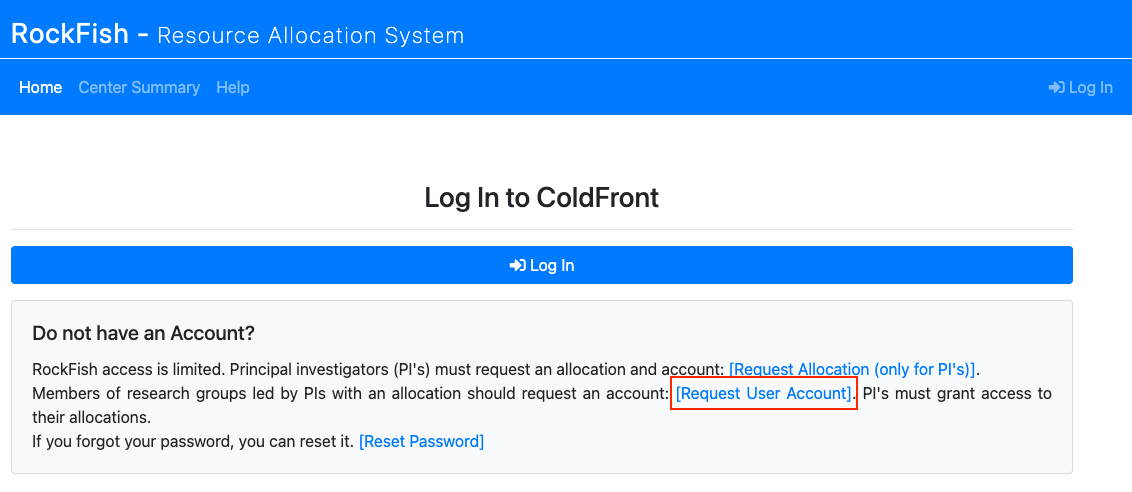
When you first navigate to the Coldfront Portal, you’ll be prompted to log in or create an account. Users should click Request User Account.
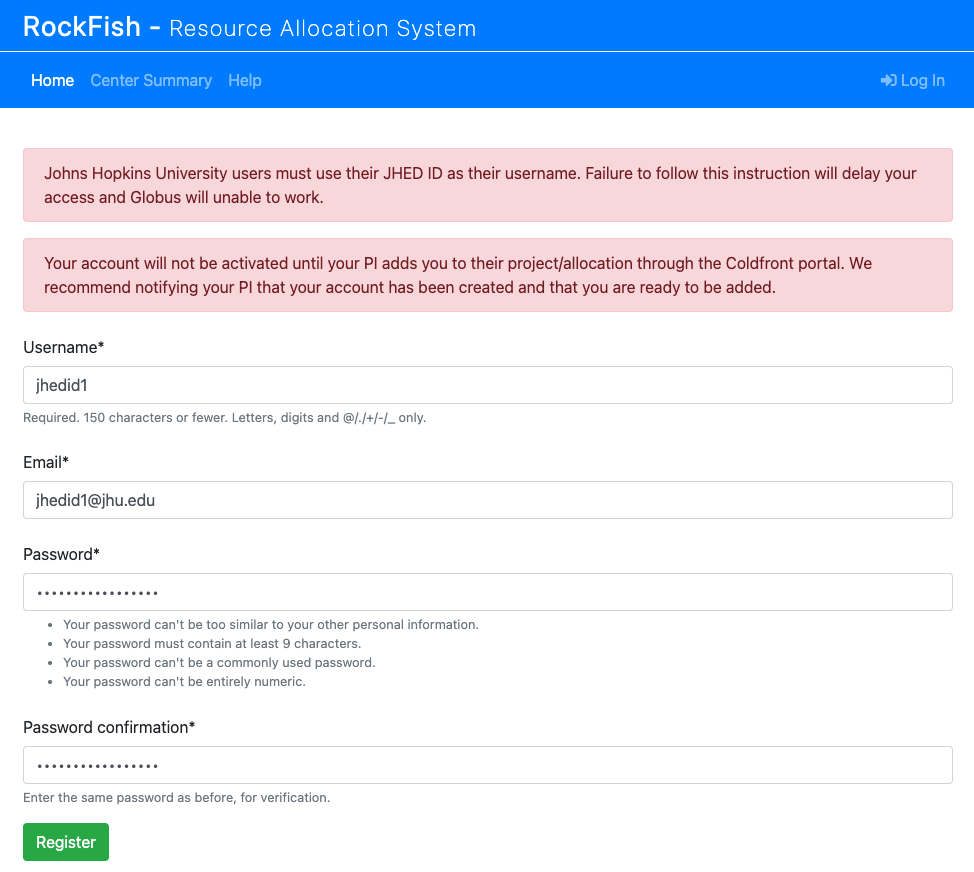
You will then be asked to enter your JHED ID (as your username), email address, and a password. You must use your JHED ID. Using anything else will delay access and break services such as Globus. External users and collaborators must prepend their username with `ext-` (e.g., ext-jdoe).
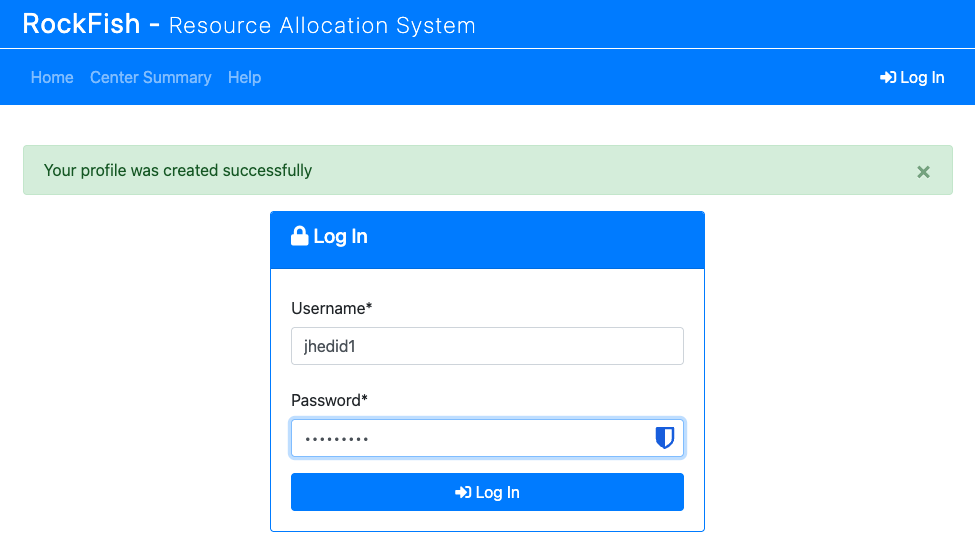
After submitting your request, you should see a confirmation message. You can then log in to the Coldfront Portal with your new credentials.
At this stage, your account is created but not yet active on Rockfish. To gain access, you must be added to an existing project/allocation by your PI or a designated proxy. Once this has been done, your account will automatically be created on the Rockfish cluster.